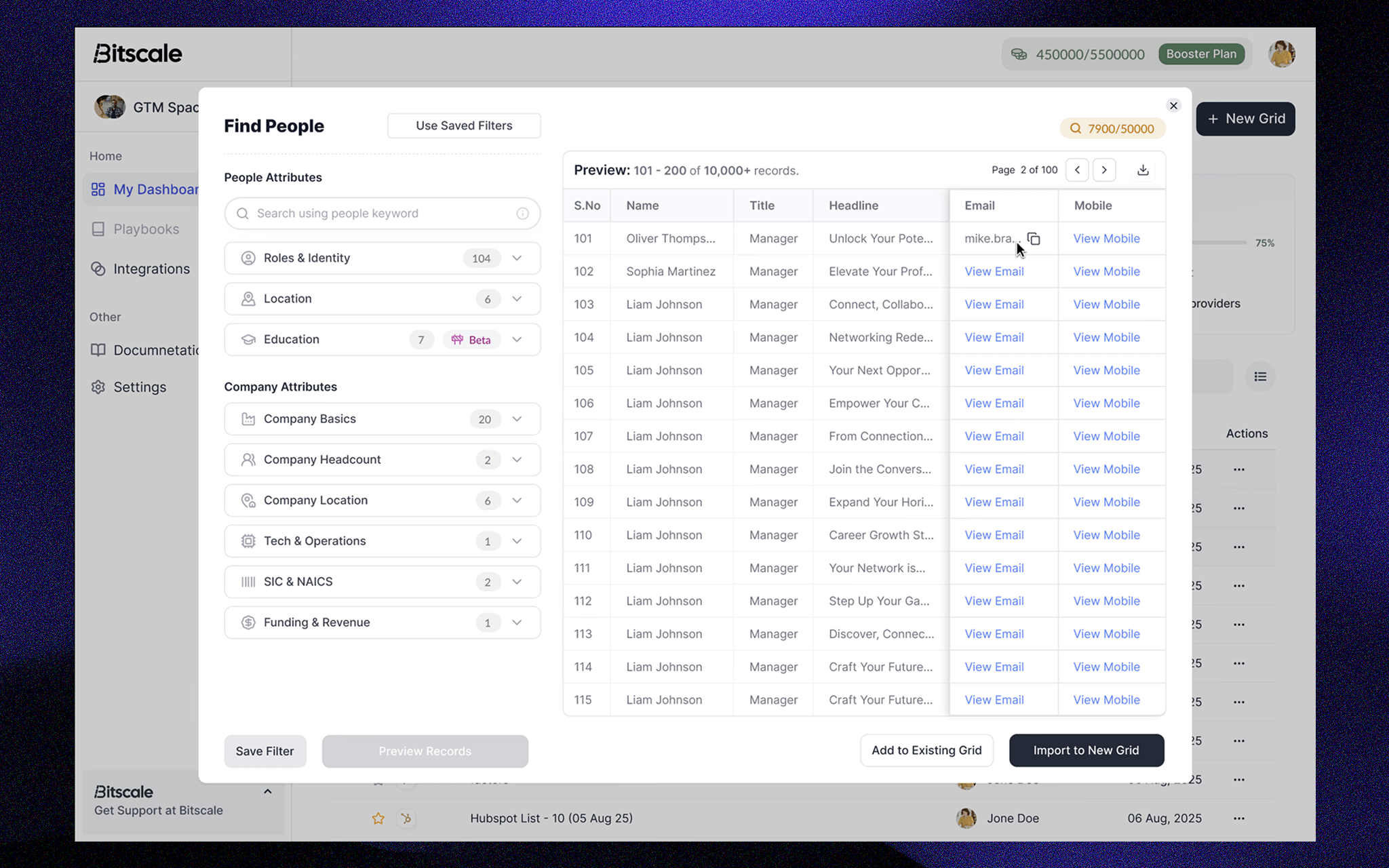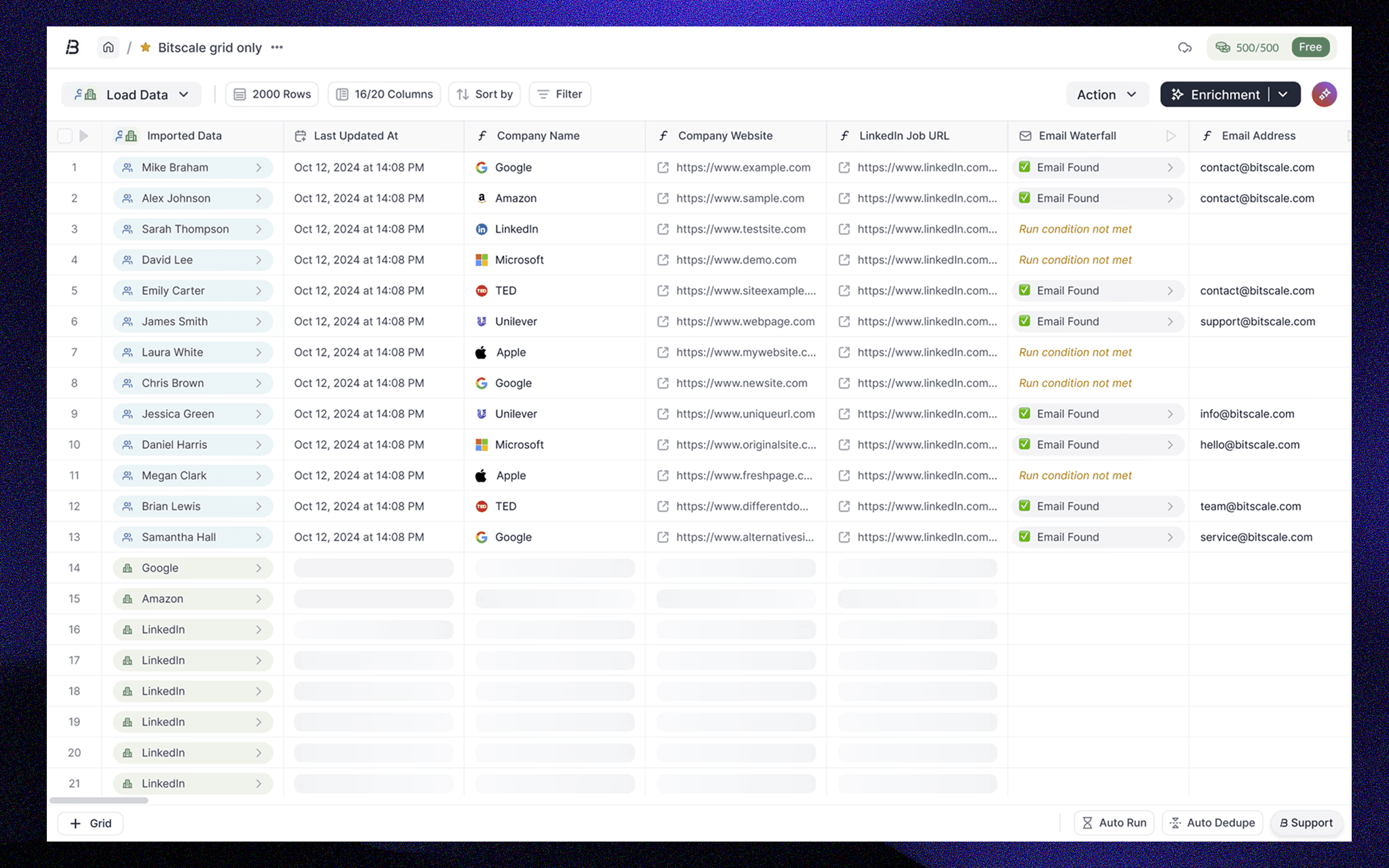
GTM - Centric Dashboard

Building a dashboard that surfaces automation, system state, and cost signals - without increasing cognitive load.

Organisation

Bitscale

Timeline

5 Weeks

Date

Aug 1, 2025

Bitscale.ai

Scale your Outbound GTM

Bitscale is an AI-native Go-To-Market SaaS that helps teams find, enrich, and qualify leads. It enables targeted prospecting, signal-based lead qualification, and personalized outbound campaigns creation at scale. Trusted by teams at Delivery, Scrut Automation, DevRev, Yellow.ai, and many more.

Constraints:

Live product with real users, large and continuously updating datasets, an existing grid architecture, and active automations running in the background. Changes needed to be backward-compatible, performant at scale, and clearly communicate system state without interrupting ongoing workflows.
Overview & Context:

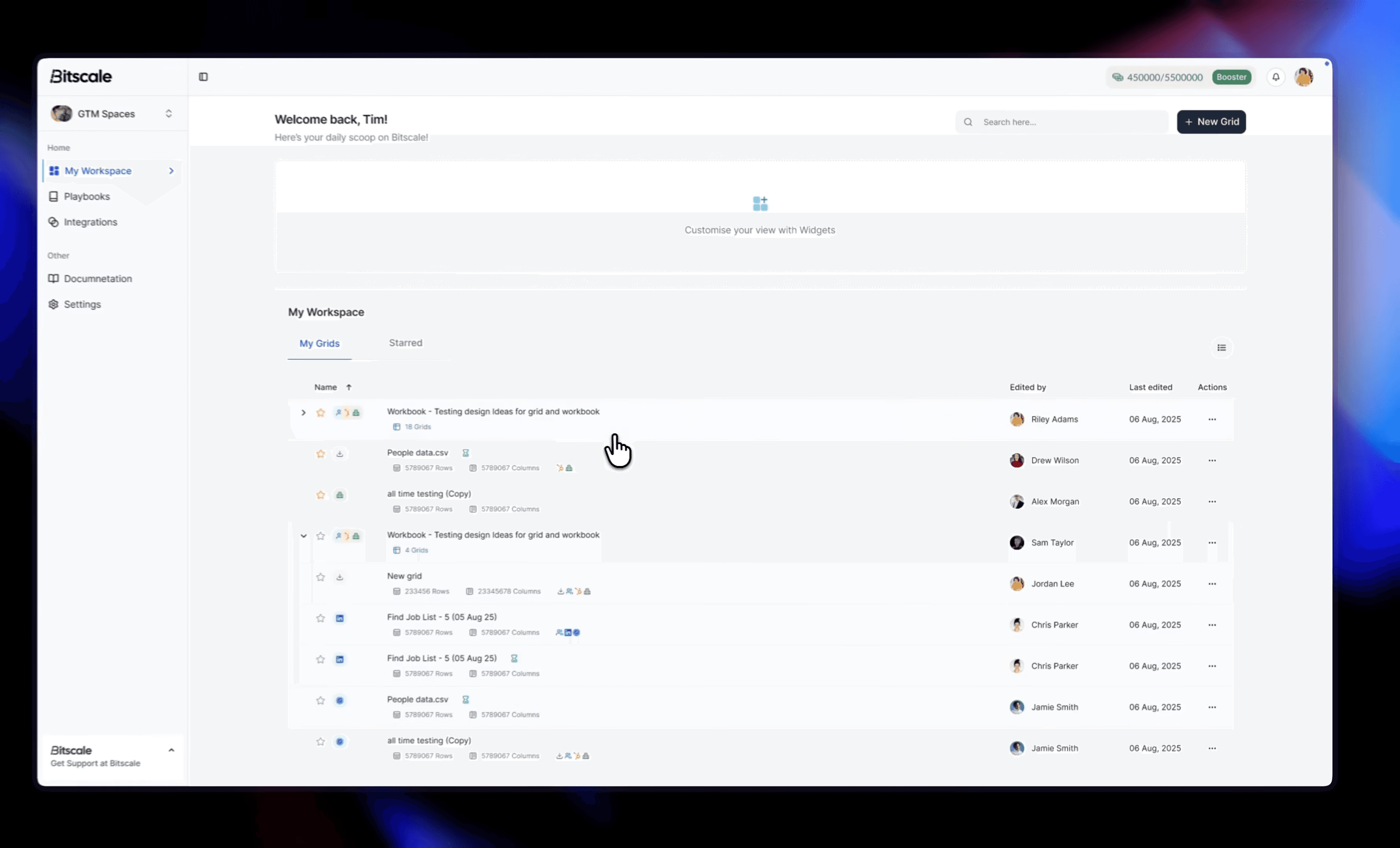
Improved dashboard clarity and workflow efficiency by restructuring Bitscale’s grid-based experience to better support automation-heavy, team-based workflows.

Re-thinked and structured the dashboard to reduce visual overload, improve system visibility, and surface critical signals like automation status, grid relevance, and credit usage enabling teams to act faster and with more confidence.

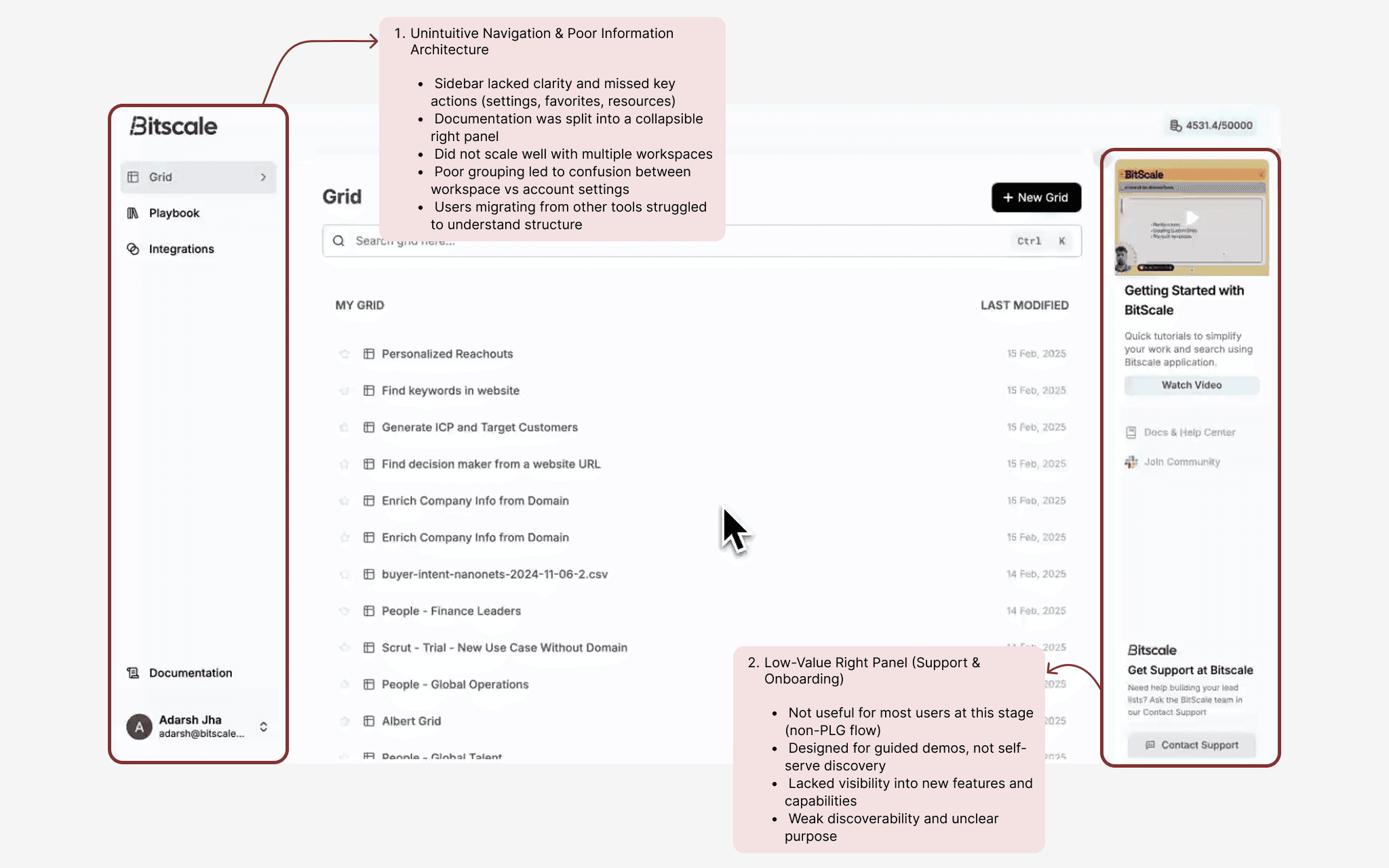
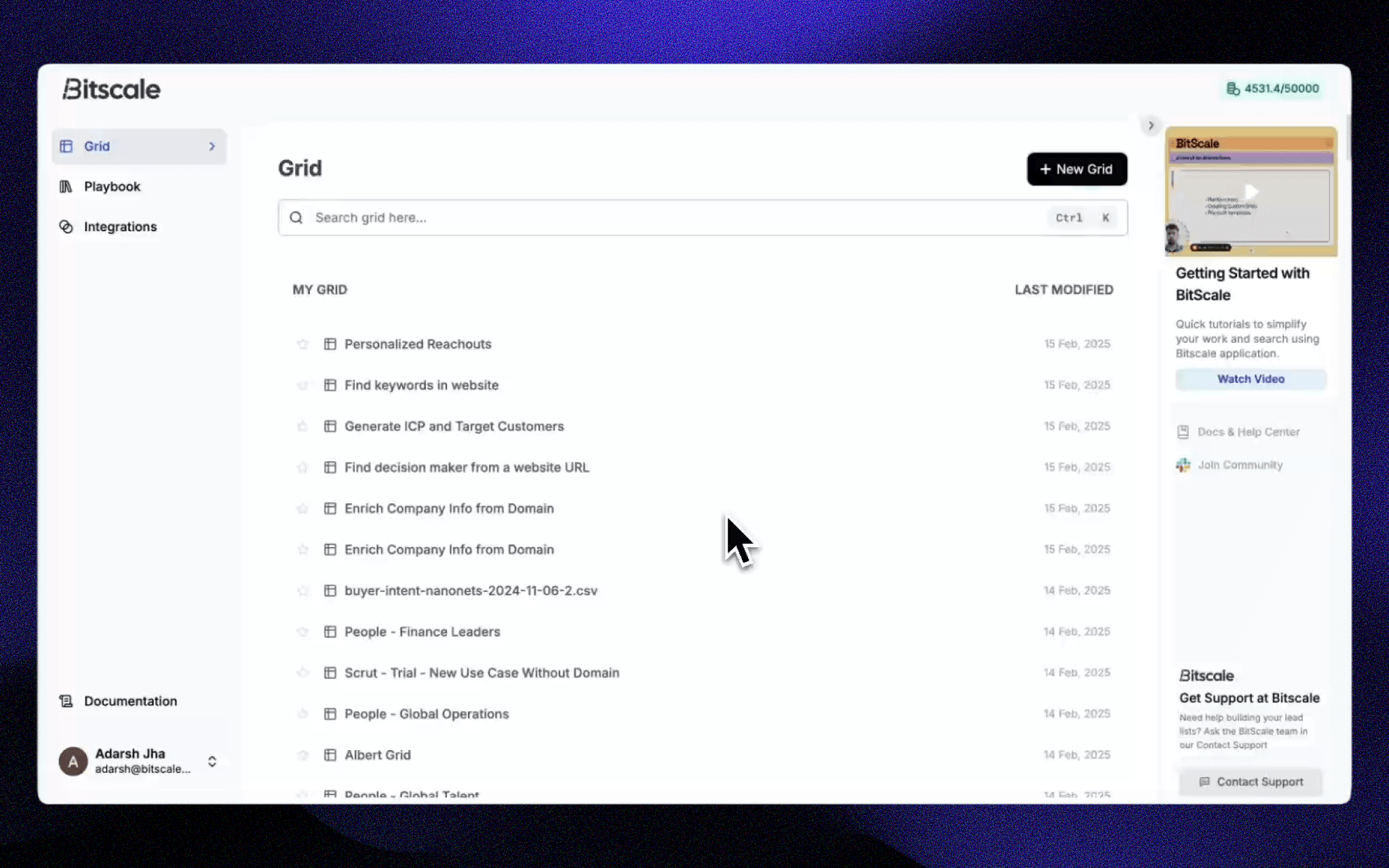
Preview of the existing dashboard

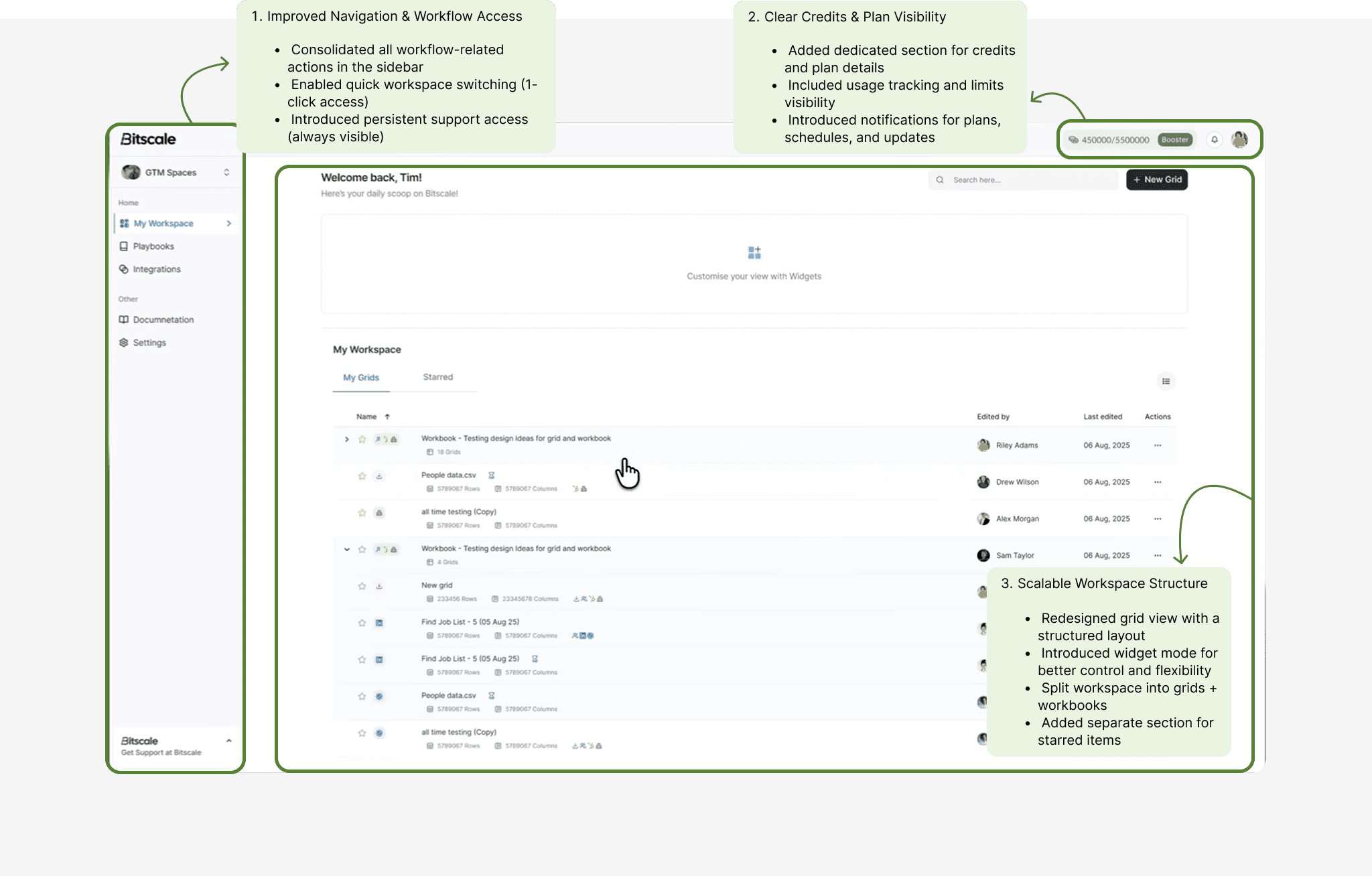
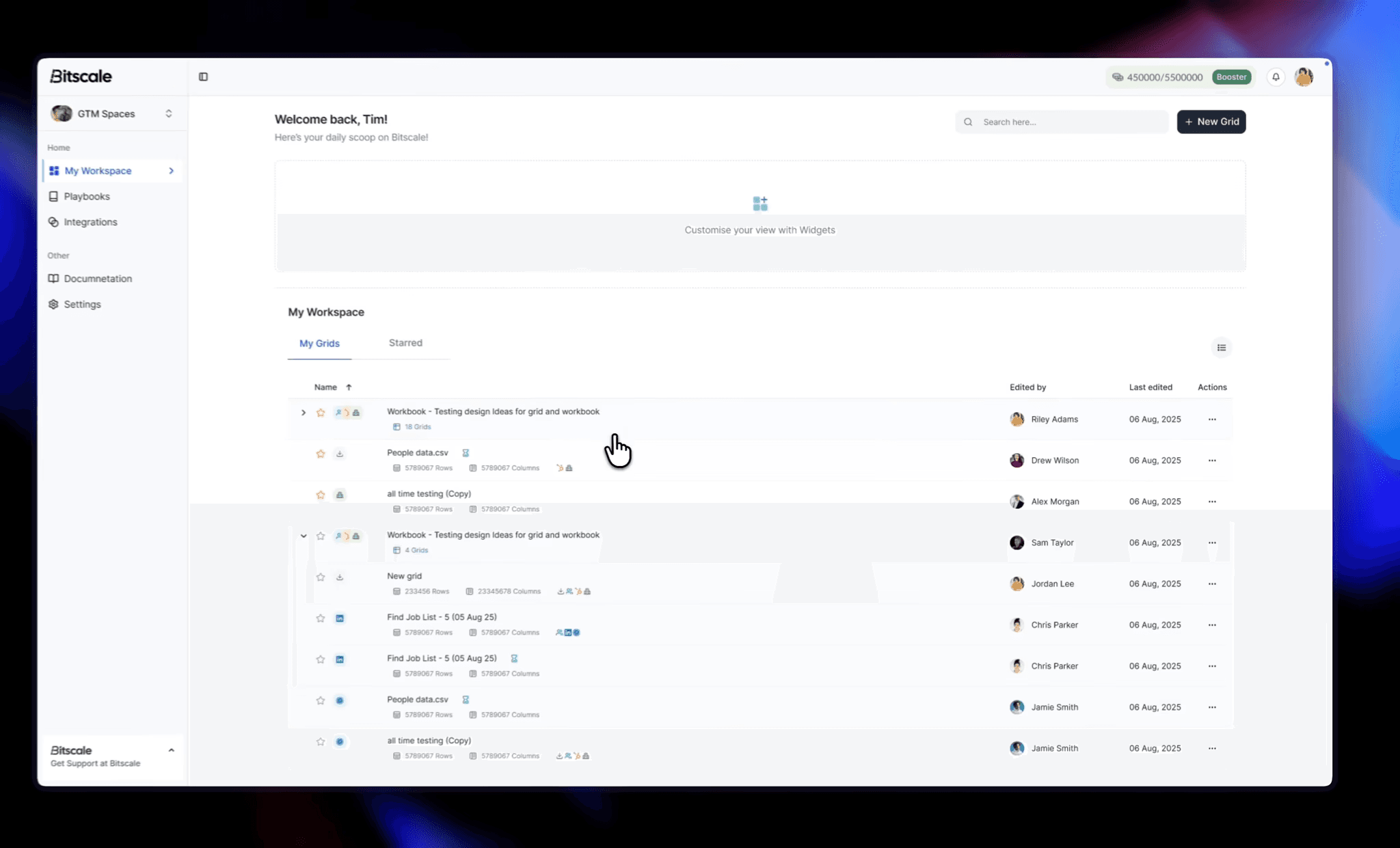
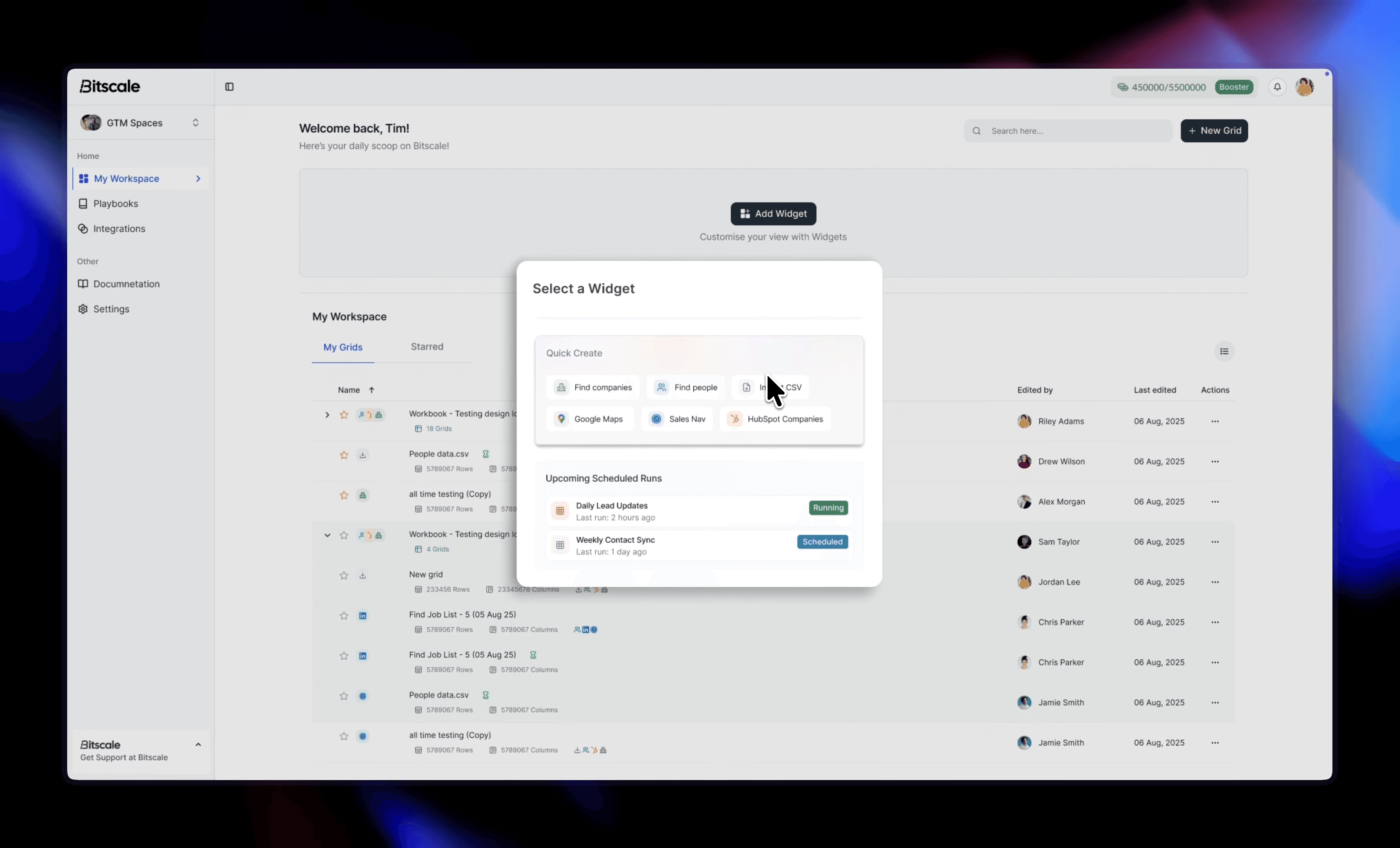
Preview after the required changes were made

Problem Statement

As Bitscale evolved from individual usage to team-based workflows, the dashboard became increasingly complex, making it difficult for users to scan, prioritize, and act on grids efficiently.

Critical signals such as automation status, scheduled runs, and cost-impacting actions were buried, forcing 30~48% of users to dig through multiple sections and increased uncertainty in decision-making.

How might we structure the dashboard to reduce cognitive load while improving visibility into system behavior and automation workflows?

Key Focus Areas:

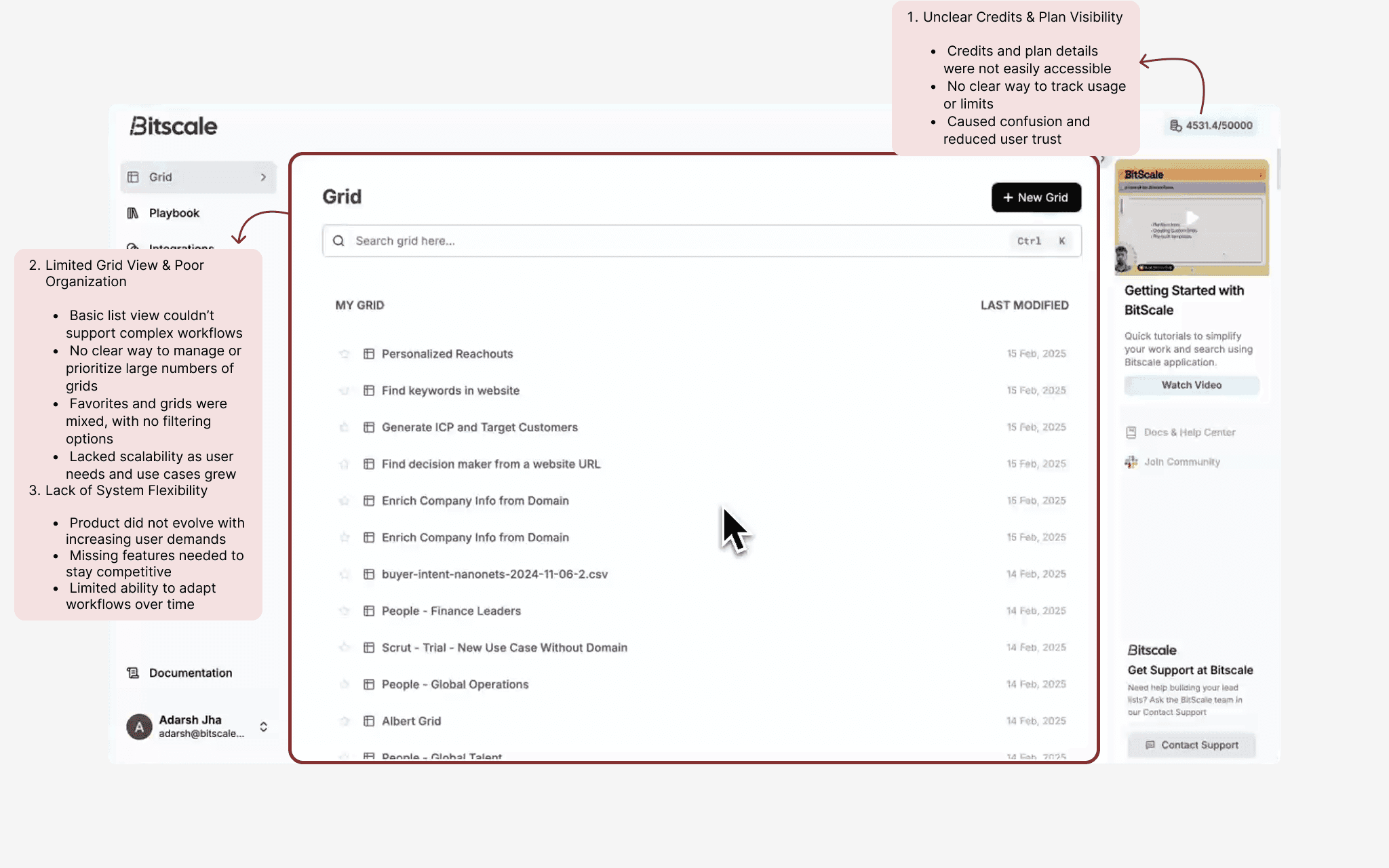
Based on user behavior, internal feedback, and workflow analysis, several key issues emerged: 1. High visual clutter made scanning across multiple grids difficult 2. Lack of clear system signals (automation status, running states, credit usage) 3. Important actions and states were buried within deeper workflows 4. Users lacked clarity on what was running, scheduled, or impacting cost 5. Limited support for team-based workflows and shared ownership

Problem In-depth breakdown

Let's explore the issues faced by the users:

Structural Gaps in Navigation & User Guidance

Limited Control, Low Visibility & Poor Scalability

Solution

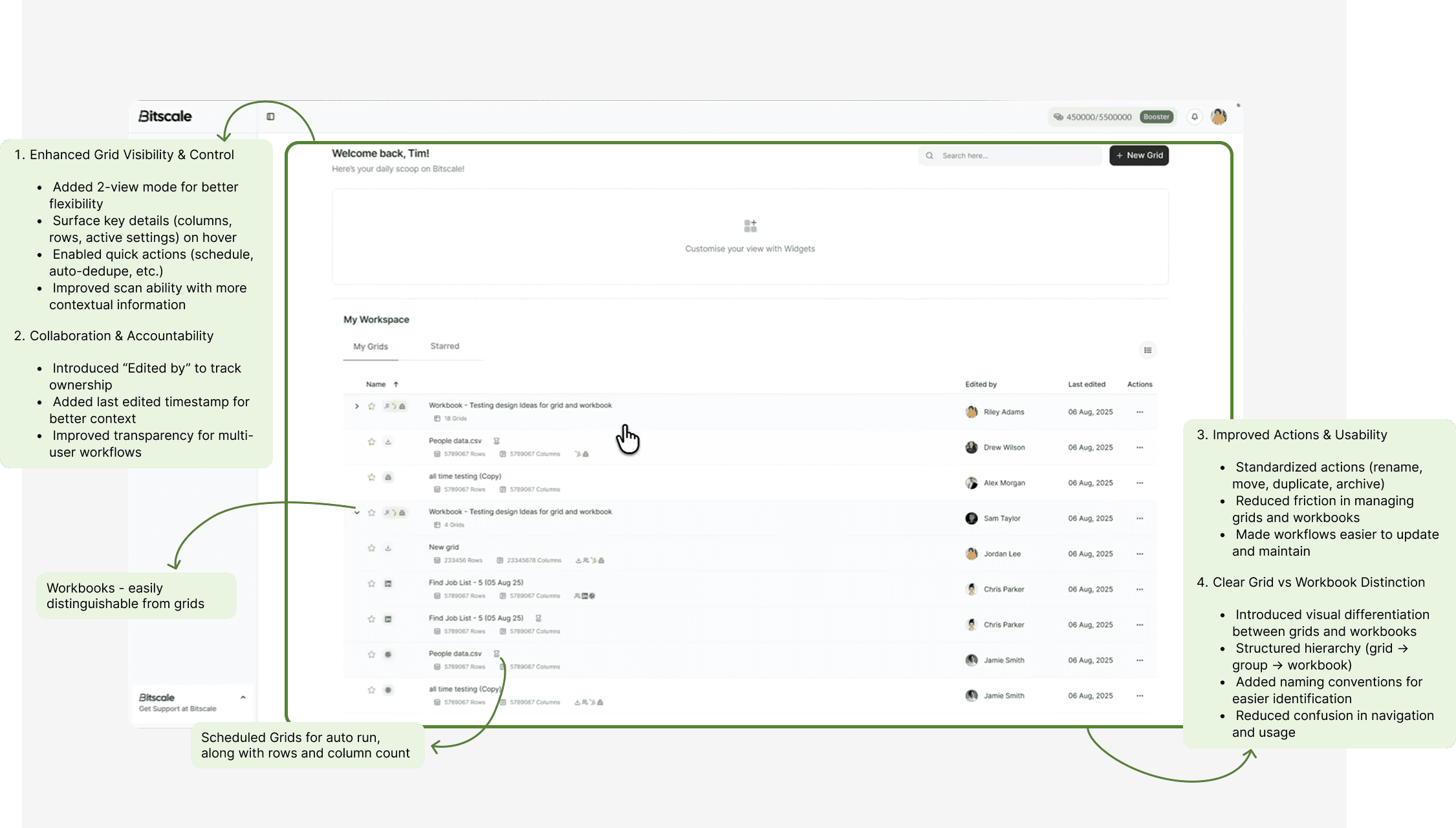
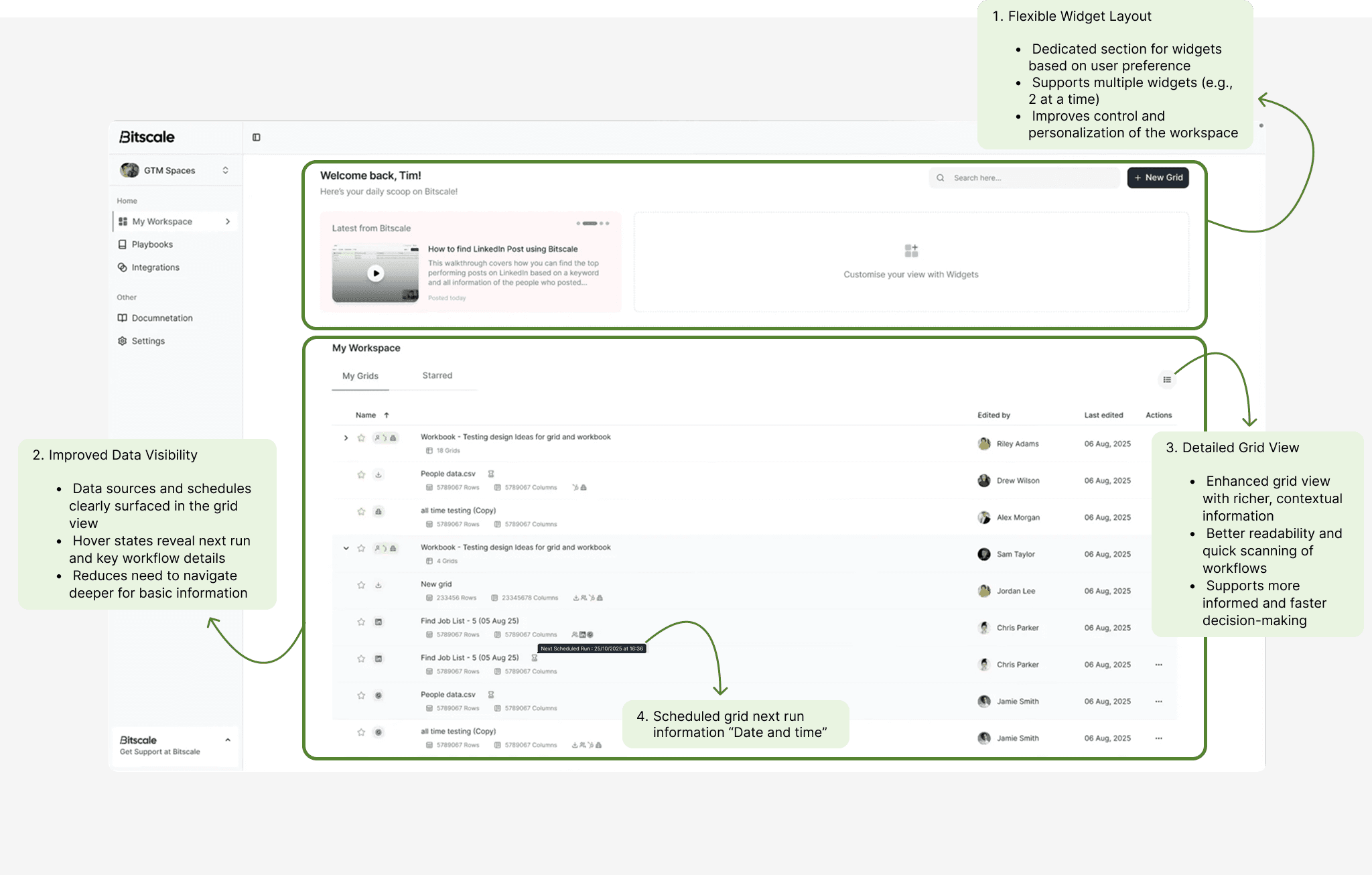
The experience focused on transforming the dashboard into a clear and reliable control center for workflows. A structured layout was introduced to separate active (running/scheduled) and inactive grids, improving scanability and prioritization. Contextual previews and expanded views surfaced key signals like automation status, scheduling, and system behavior directly within the dashboard.

Learning resources and contextual guidance were embedded within the dashboard, reducing reliance on external documentation and helping users understand system behavior without disrupting their workflow.

Prototype of dashboard and settings

Solution Journey

Let's see the whole journey

Scalable & Intuitive Workspace

Bringing Clarity, Control & Collaboration to Workflows

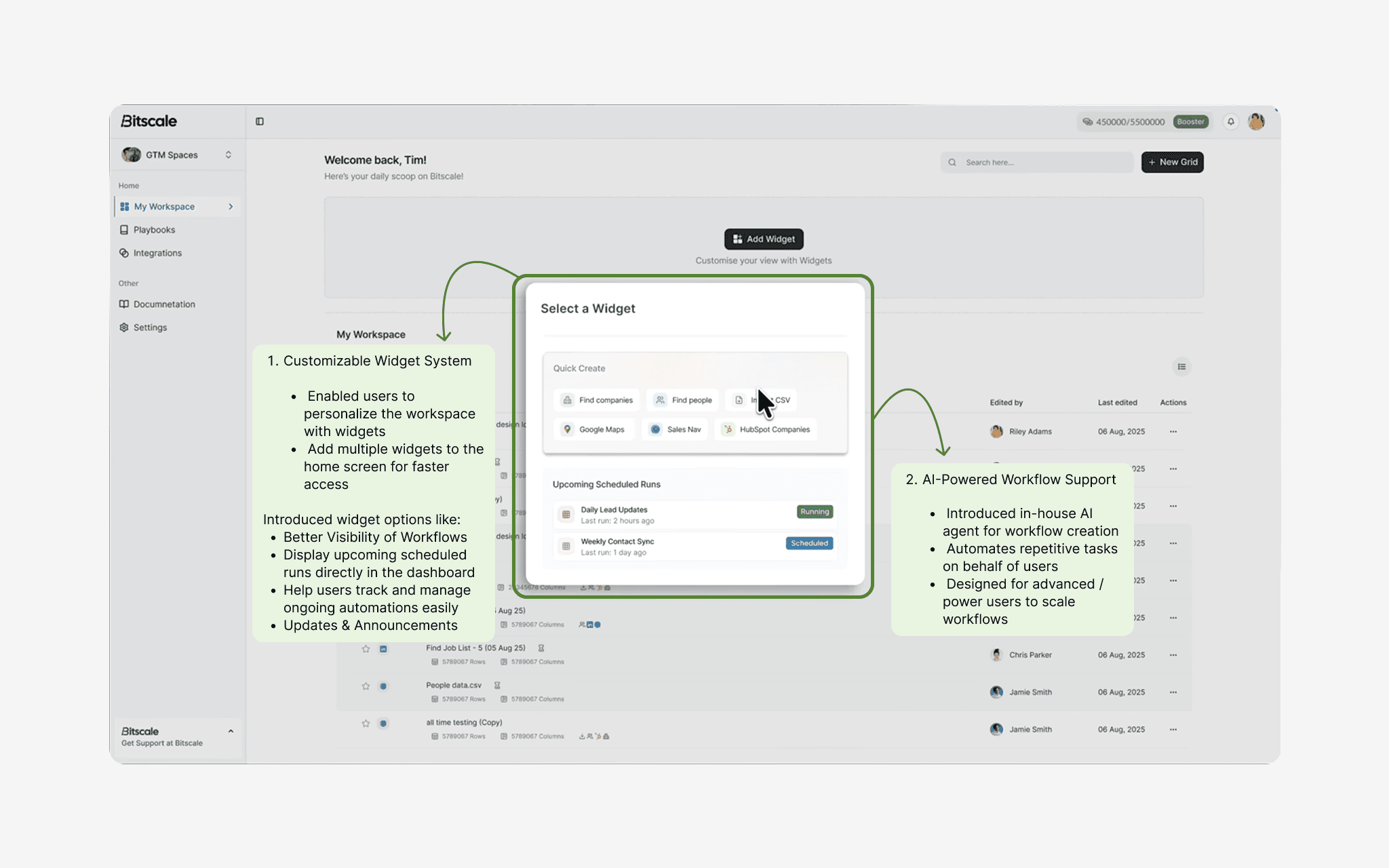
Widget - customization based on need along with Smart Automation

Designing for Visibility, Speed & Control

Final

Outcome

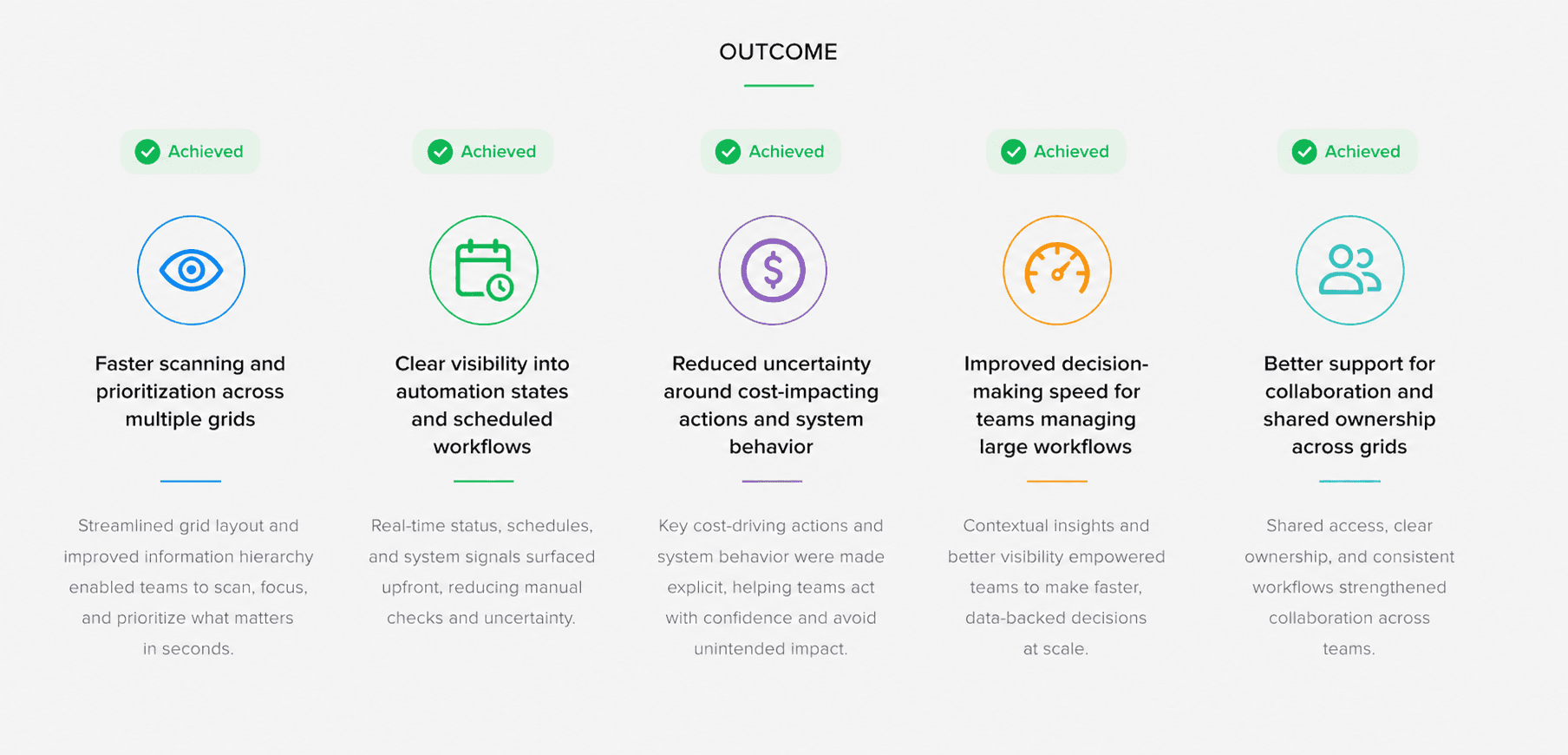
Improved confidence and speed by 10~12% for teams managing automation-heavy workflows by enhancing clarity, visibility, and workflow prioritization.

1. Faster scanning and prioritization across multiple grids 2. Clear visibility into automation states and scheduled workflows 3. Reduced uncertainty around cost-impacting actions and system behavior 4. Improved decision-making speed for teams managing large workflows 5. Better support for collaboration and shared ownership across grids

Reflection & Future Improvements

Based on my learnings and the design constraints during this project, there are several areas I would improve in future iterations:

1. Introduce a folder-based system to better organize and manage data, especially for agencies handling multiple workflows. 2. Add filtering capabilities directly within the grid to make searching faster and more intuitive. 3. Improve navigation by introducing a breadcrumb-based structure instead of the current workbook flow.

Contact

Let’s connect

Interested in working together or discussing an opportunity? Reach out, I’d love to chat.

Nazar e Moin Sheikh

Product Designer