Spreadsheet - Native Grid at Scale

Evolving Bitscale’s core grid into a scalable, spreadsheet-native control surface for large, continuously updating datasets.

Organisation

Bitscale

Timeline

6 Weeks

Date

Oct 1, 2025

Bitscale.ai

Scale your Outbound GTM

Bitscale is an AI-native Go-To-Market SaaS that helps teams find, enrich, and qualify leads. It enables targeted prospecting, signal-based lead qualification, and personalized outbound campaigns creation at scale. Trusted by teams at Delivery, Scrut Automation, DevRev, Yellow.ai, and many more.

Constraints:

Live product with real users, large and continuously updating datasets, an existing grid architecture, and active automations running in the background. Changes needed to be backward-compatible, performant at scale, and clearly communicate system state without interrupting ongoing workflows.
Overview & Context:

Improved retention by 12% by redesigning Bitscale’s core grid experience to support scalable automation workflows while maintaining clarity, system feedback, and interaction predictability.

Simplified grid interactions, improved system state visibility, and introduced familiar spreadsheet-like behaviors enabling users to confidently manage, update, and act on large datasets without friction or confusion.

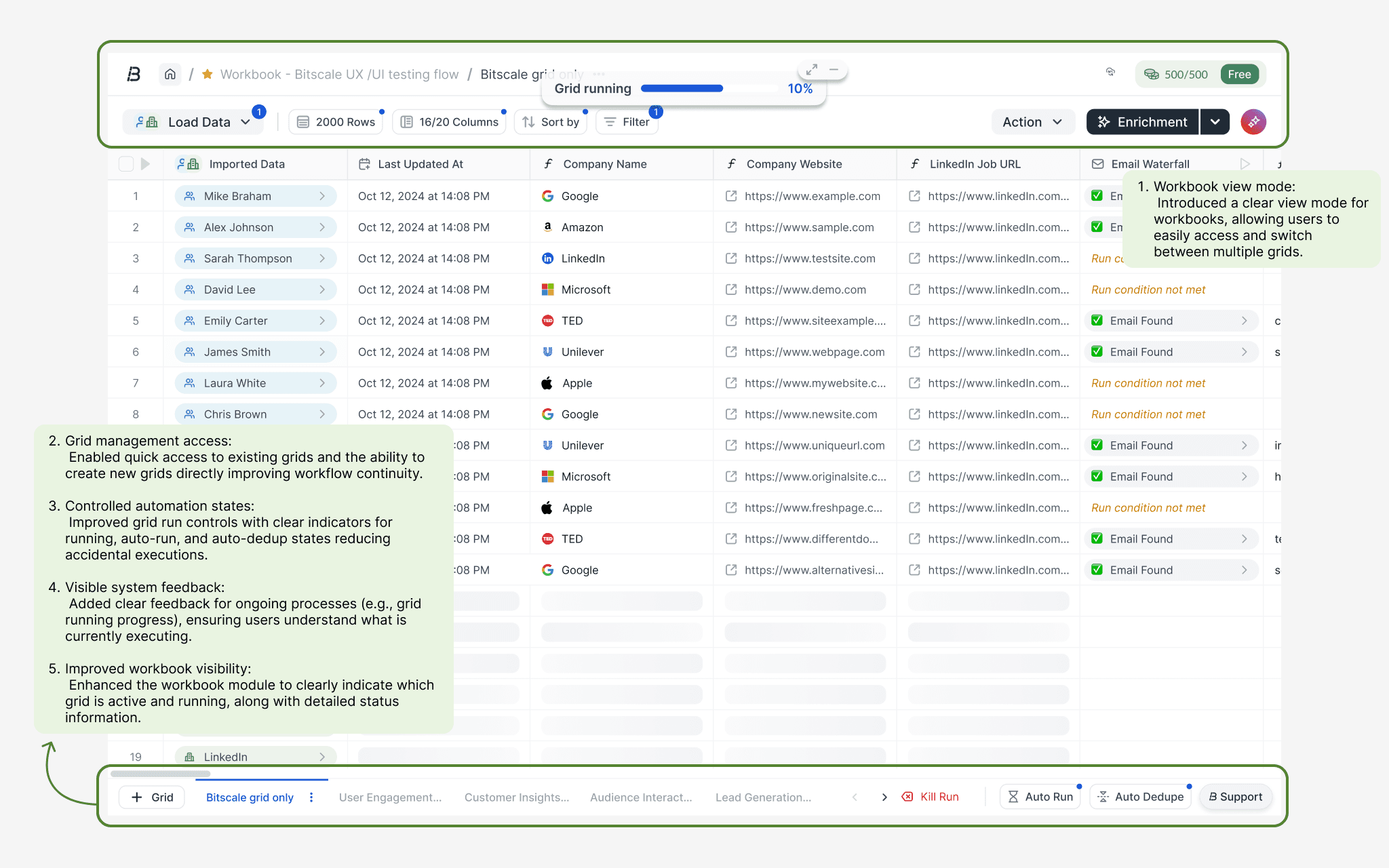
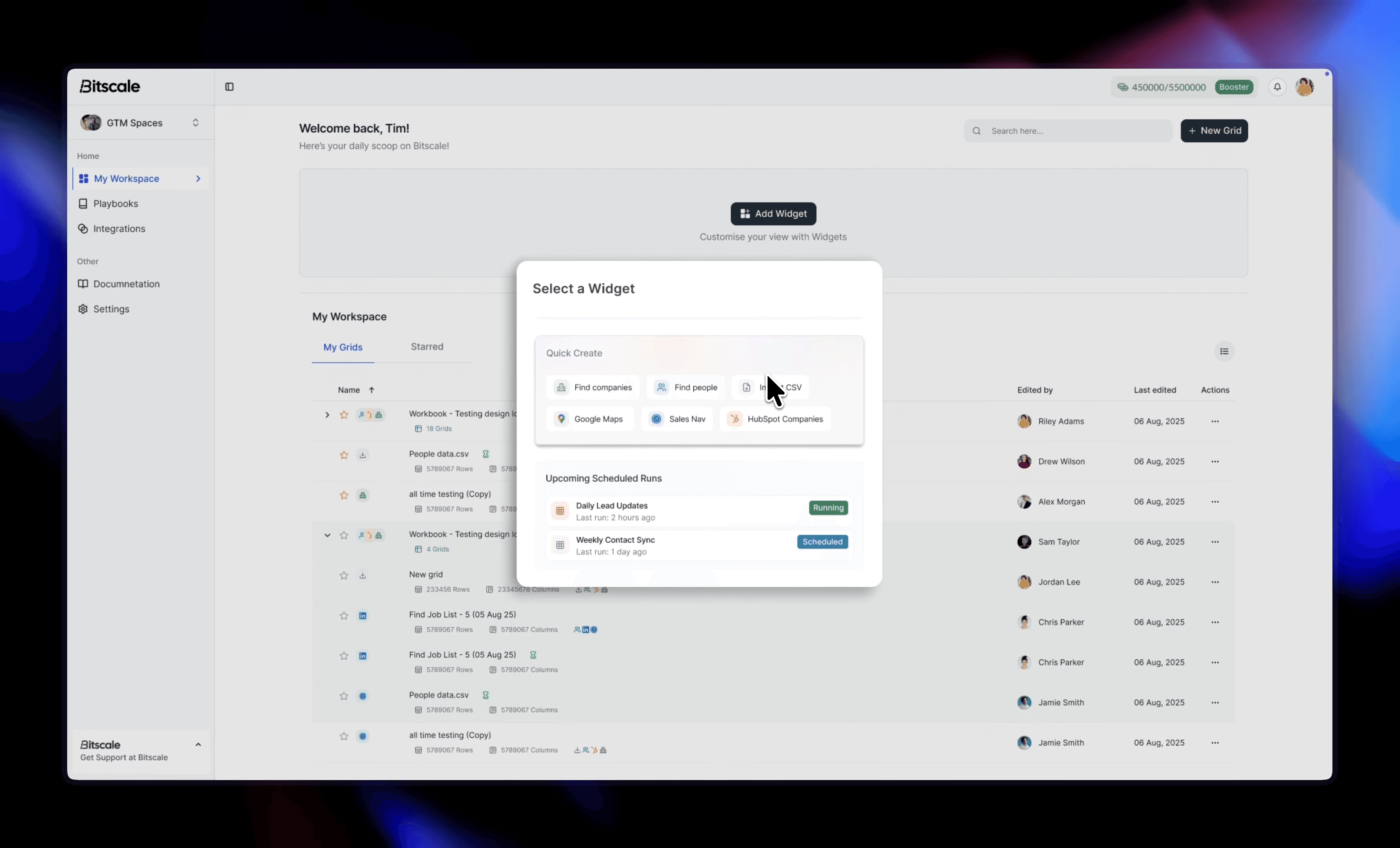
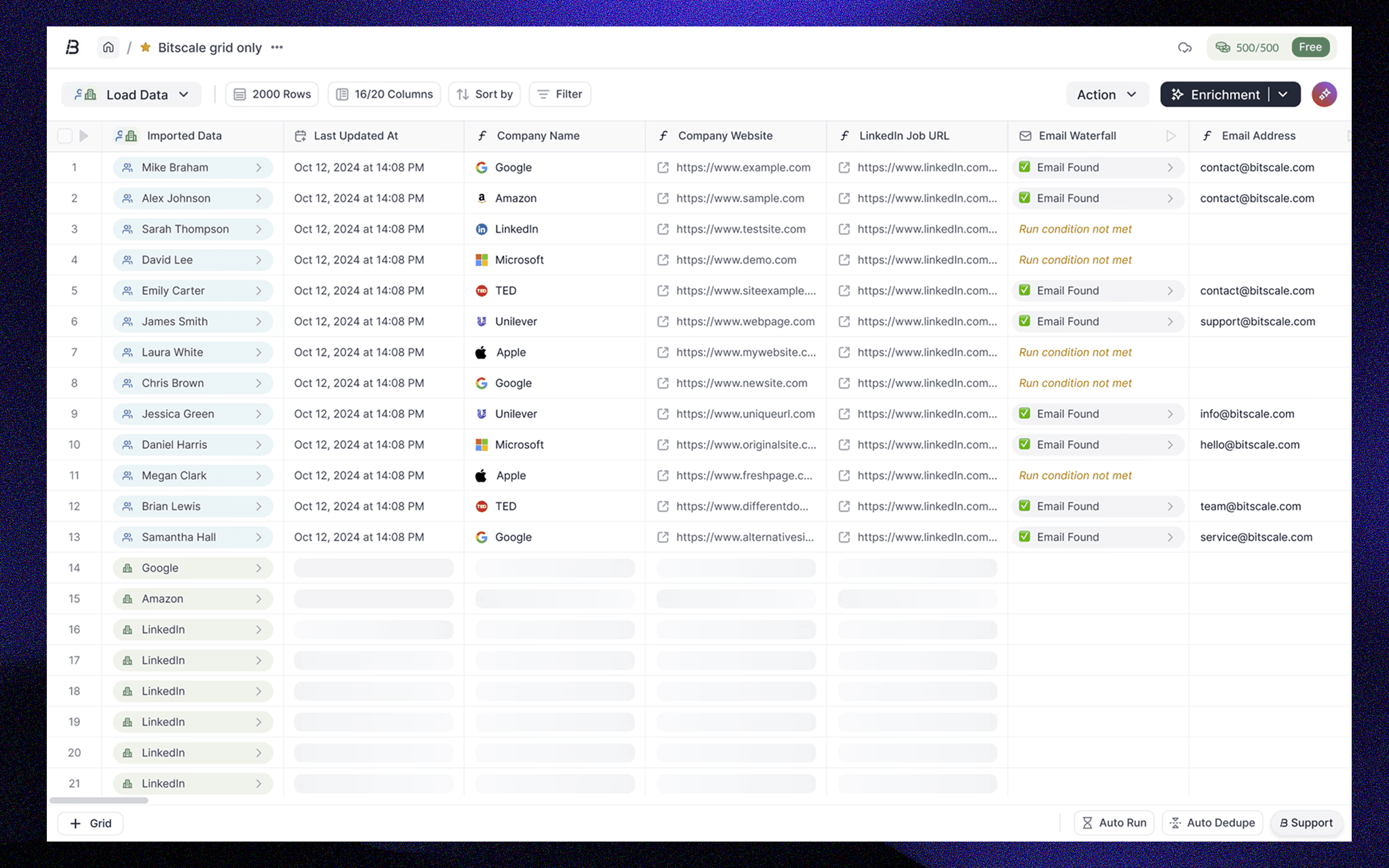
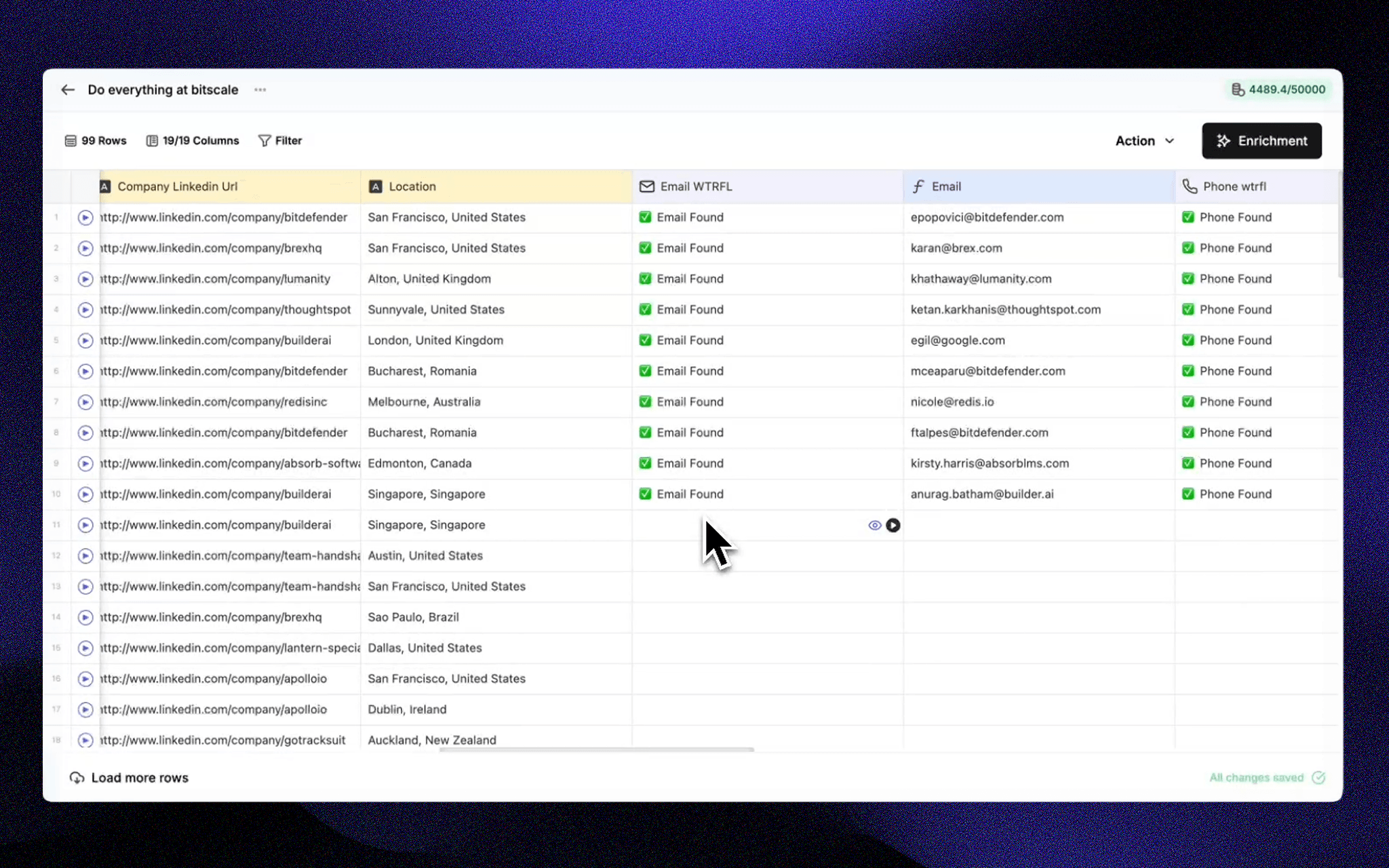
Preview of the existing grid system

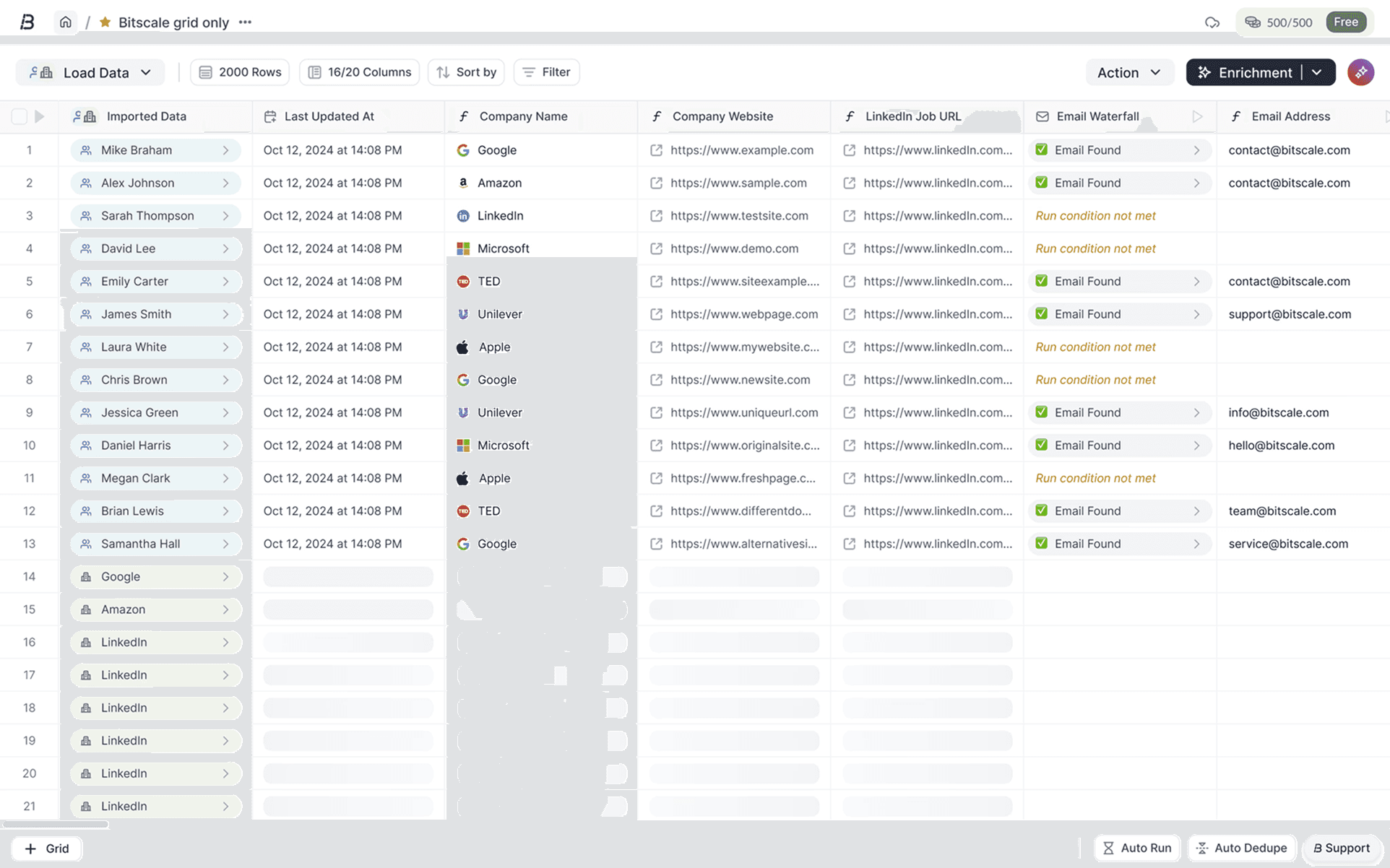
Preview after the required changes were made

Problem Statement

Approx 15–20% of users struggled to efficiently manage large datasets, leading to slower decision-making and reduced confidence in the grid.

Users expected spreadsheet-like interactions and bulk workflows, but the existing experience lacked intuitive controls, clear feedback, and scalable interaction patterns.

How might we improve trust and efficiency in grid-based workflows while reducing cognitive load at scale?

Key Focus Areas:

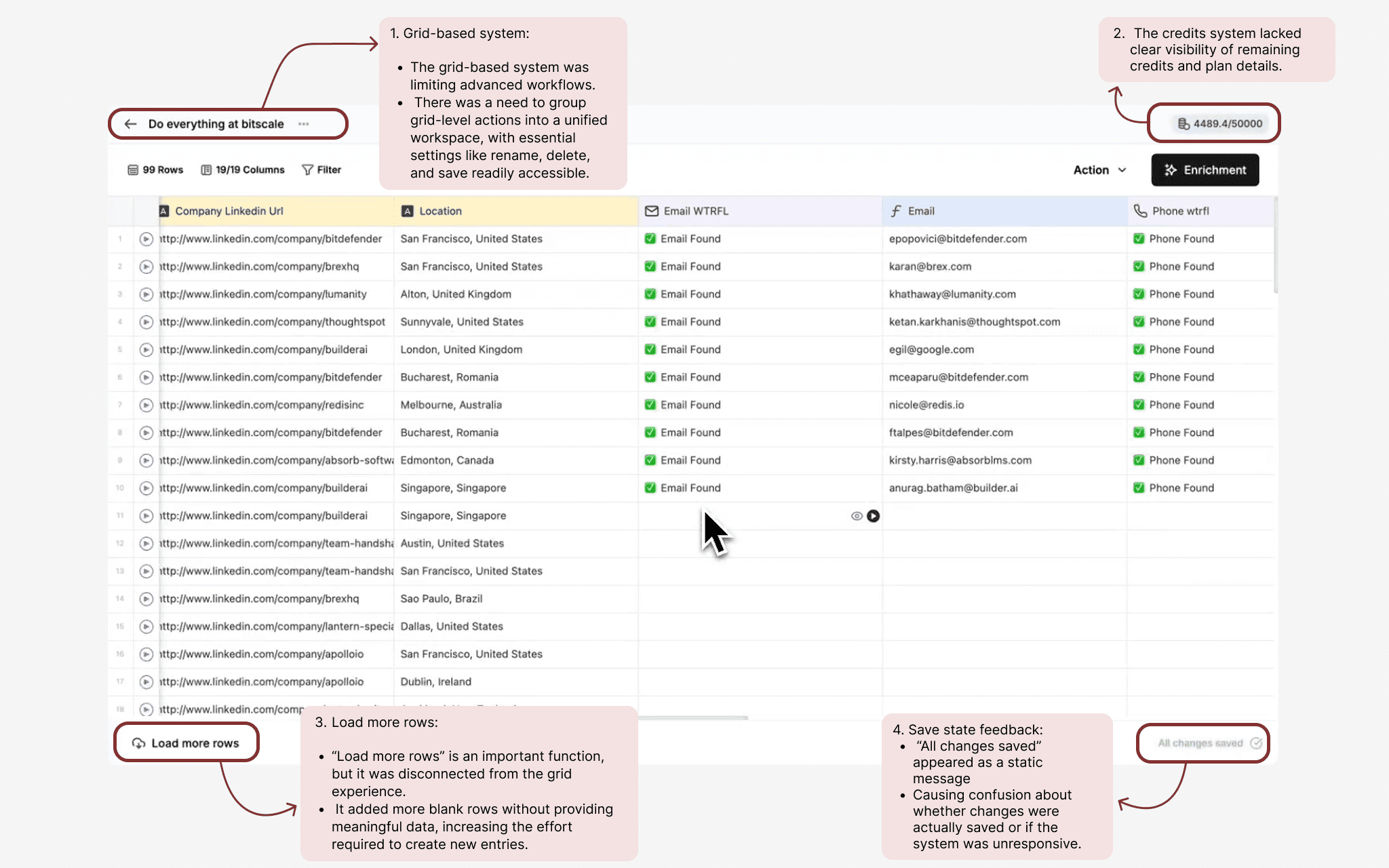
Based on user research from support calls, tickets, PostHog analytics, and internal feedback, several key issues emerged: 1. Visual inconsistency made large grids hard to scan and interpret 2. Lack of clear system feedback (running states, loading, updates) 3. Missing spreadsheet-native interactions (selection, bulk actions, right-click) 4. High cognitive load when working with large datasets and automation 5. Disconnection between grid-level actions and workspace-level workflows

Problem In-depth breakdown

Let's explore the issues faced by the users:

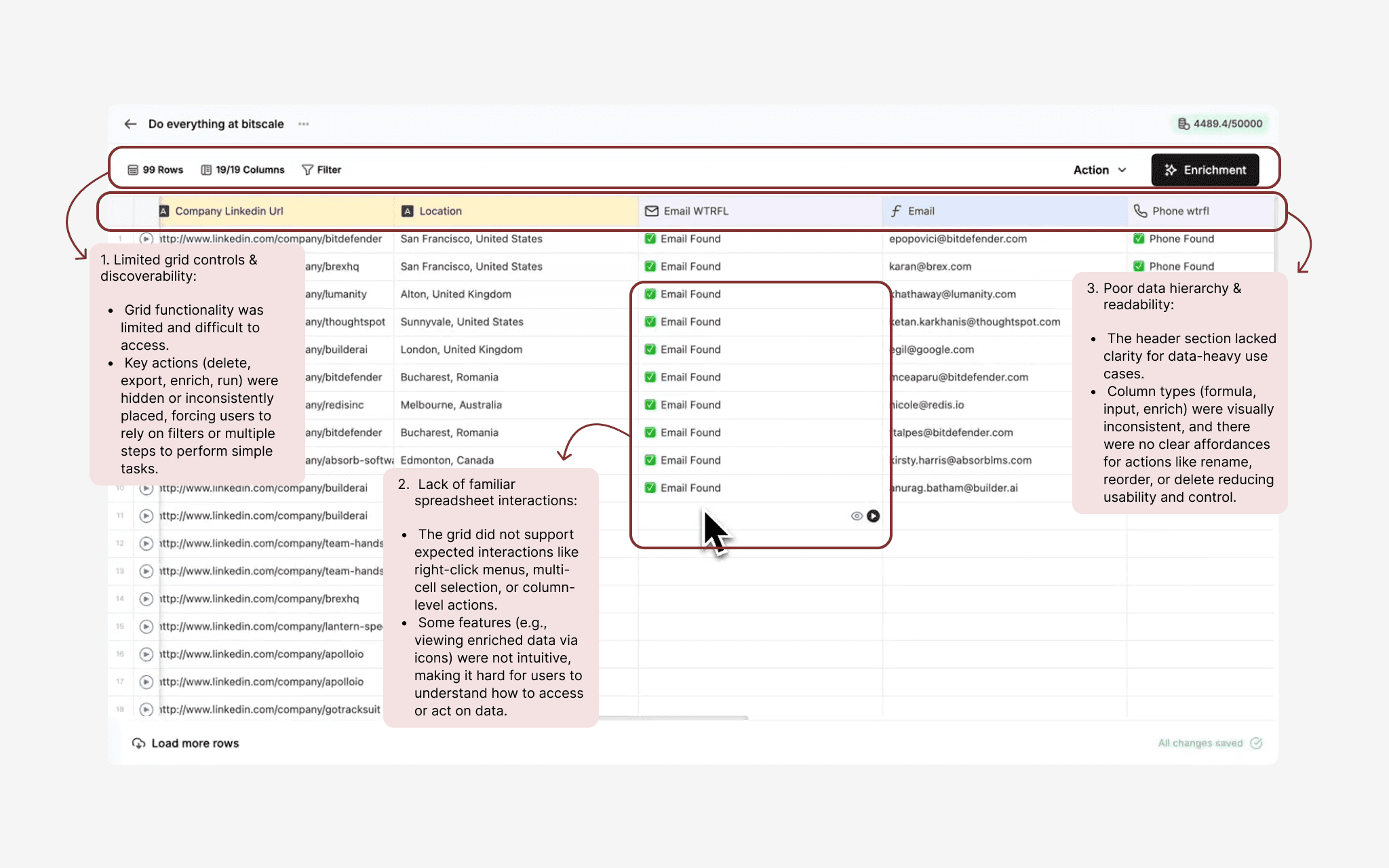
Breaking Points in Grid Usability and System Feedback

Limited Interactions & Poor Discoverability in the Grid

Solution

The experience focused on making complex grid workflows feel predictable, lightweight, and familiar. Interactions were redesigned to align with mental models users already had from spreadsheets, while system feedback was introduced at the right moments to clearly communicate states like running automations, loading data, and cell-level updates.

Grid-level actions were tightly integrated with workspace-level workflows, enabling users to perform bulk operations, manage data, and trigger automations without losing context. By balancing visibility with performance, the system supported complex workflows without overwhelming users.

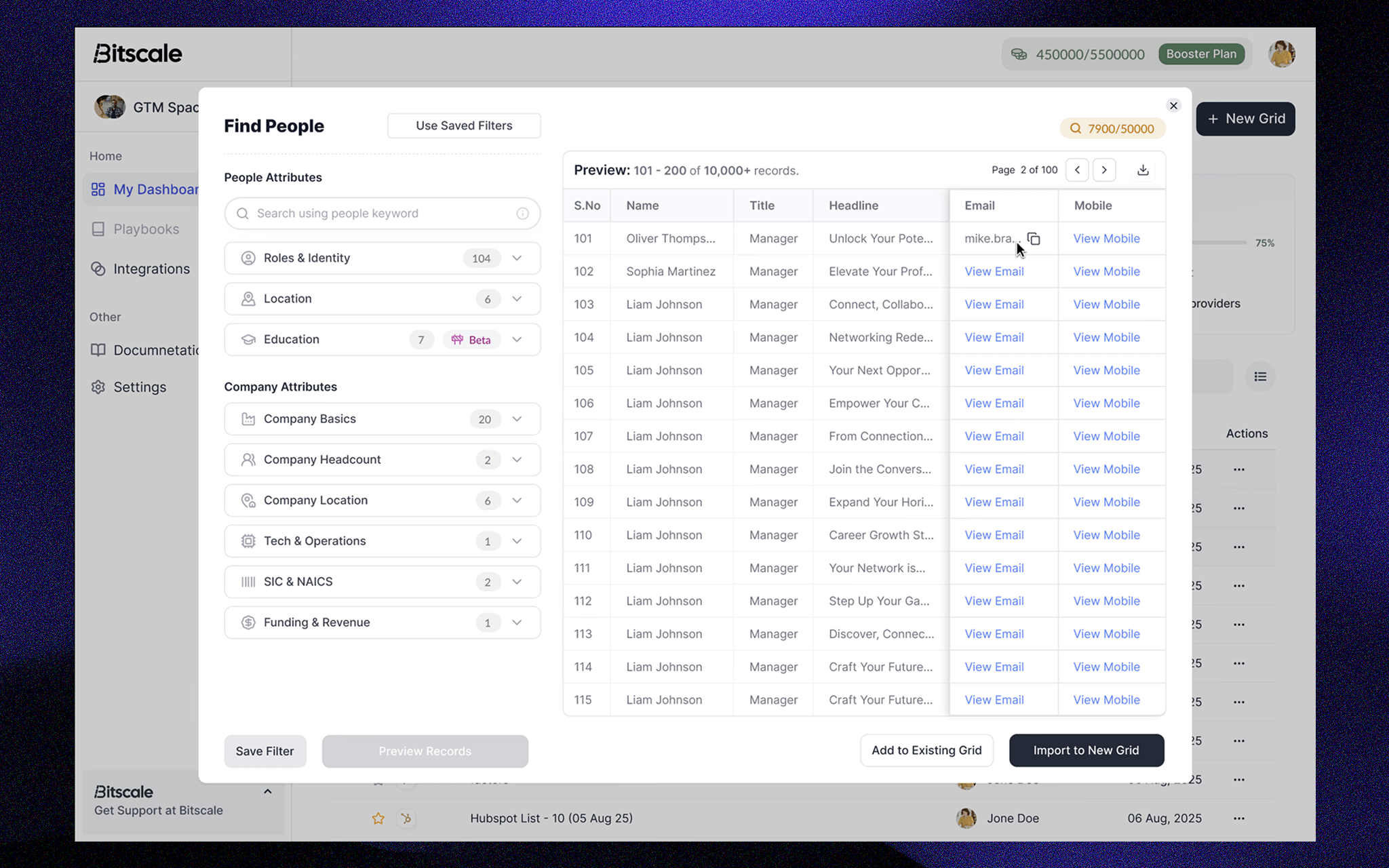
Prototype of the final solution

Solution Journey

The solution was approached in two phases: Phase 1: Addressing existing issues (SS1, SS2) Phase 2: Enhancing the experience through additional functionality

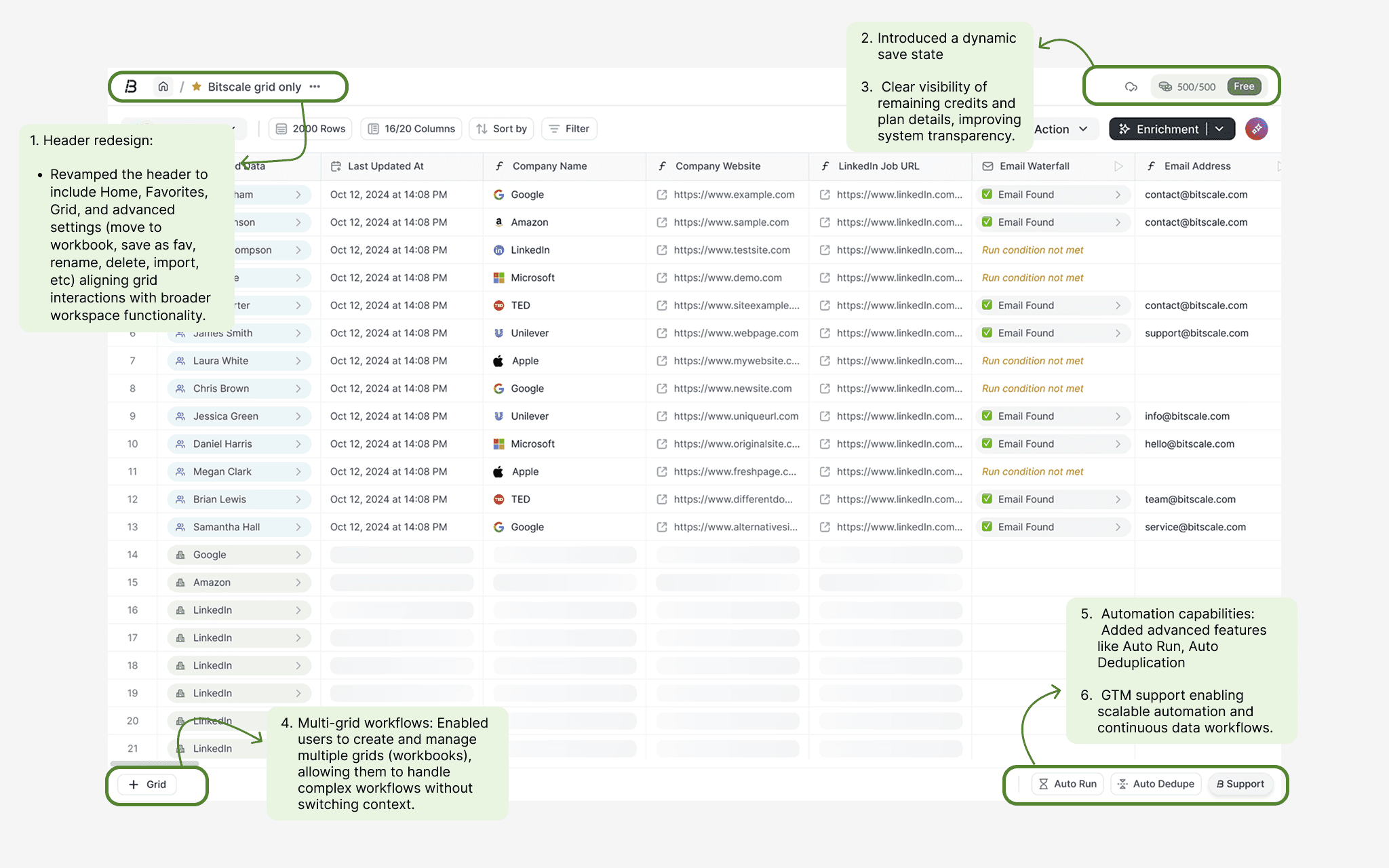
Phase 1: Fixing Foundational Gaps in Grid Experience

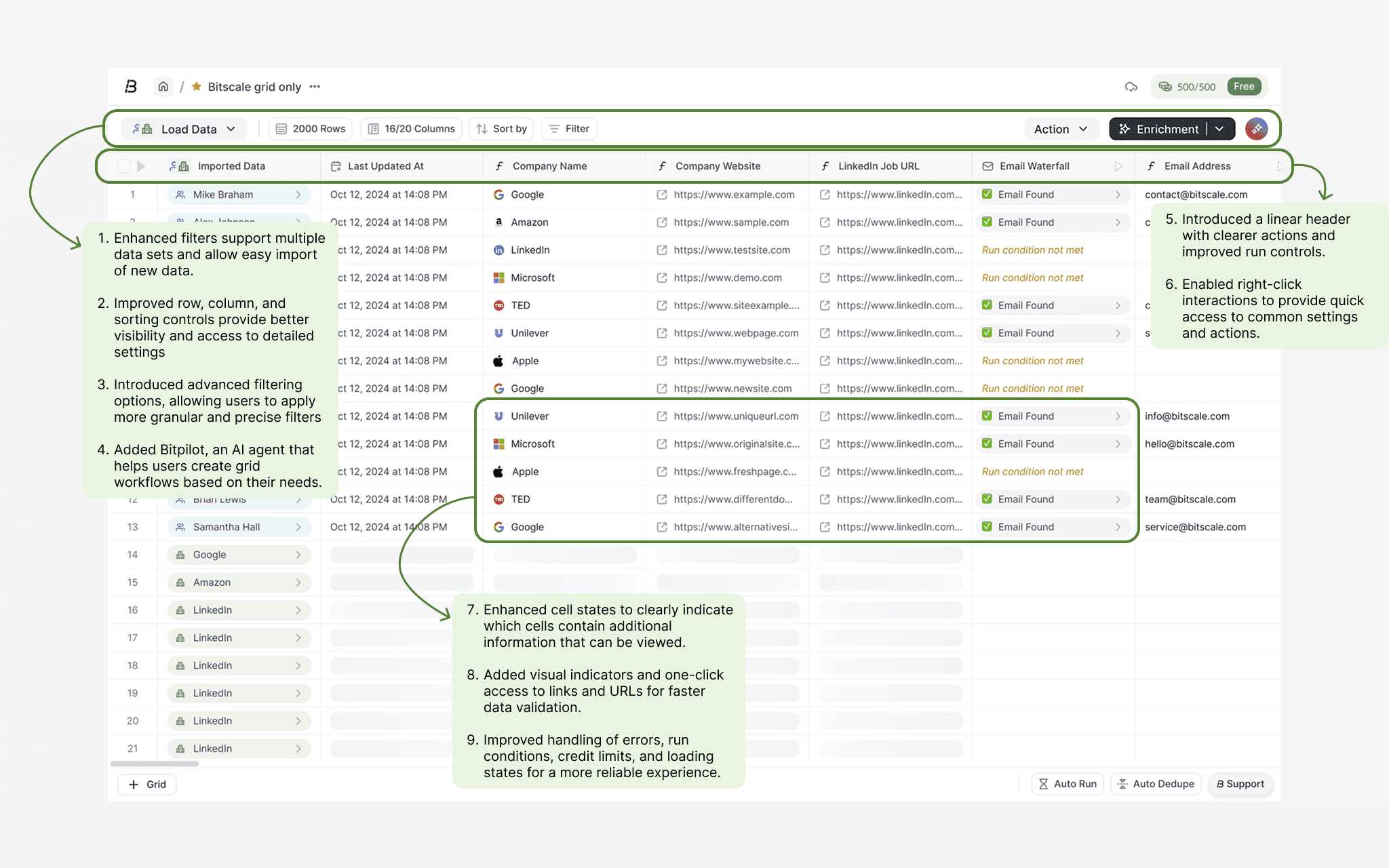
Phase 1: Improving Interaction, Visibility & Control

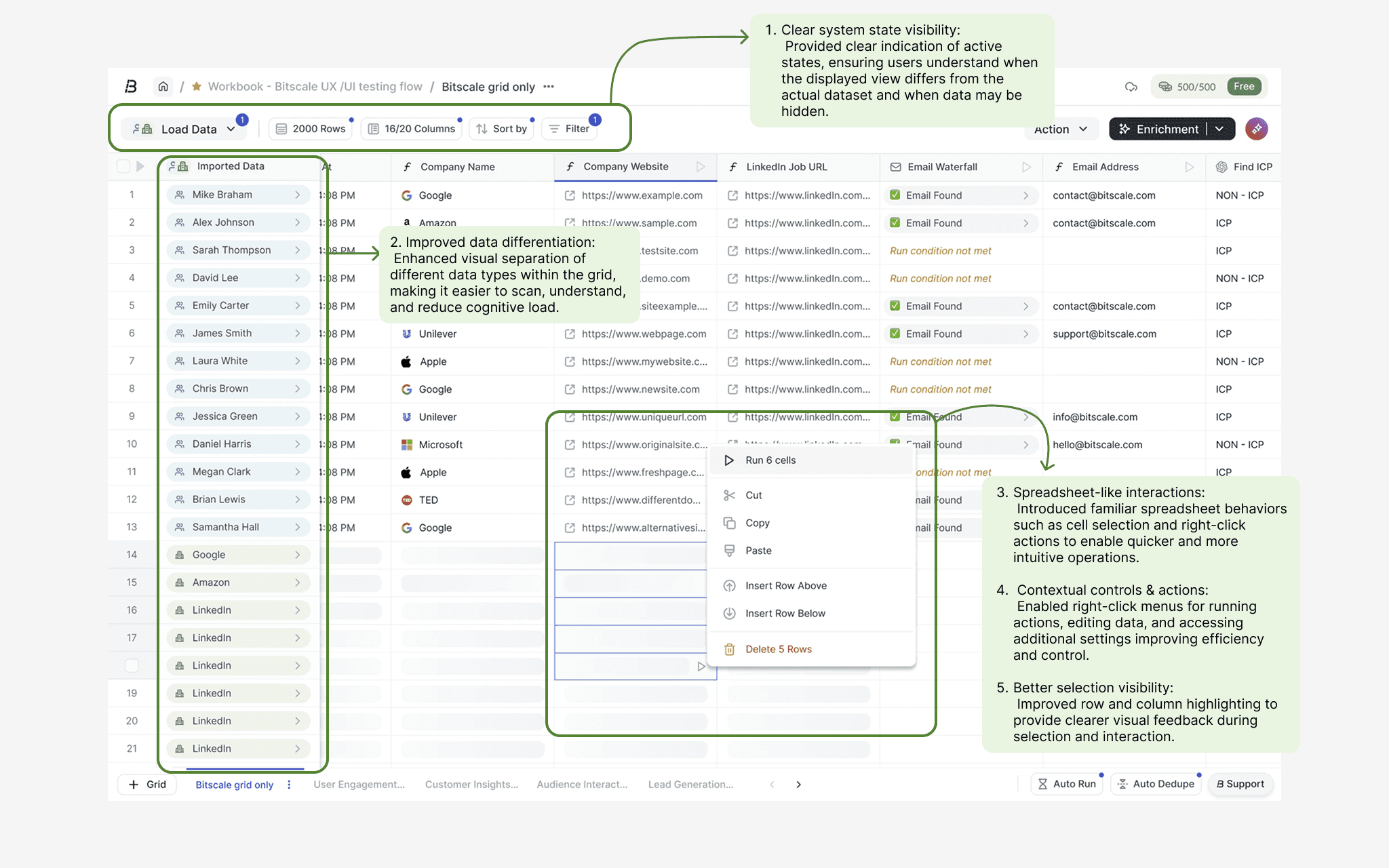
Phase 2: Making the Grid More Intuitive, Contextual, and Actionable

Phase 2: Enabling Scalable Workflows with Clear System Feedback

Final Screen

Outcome

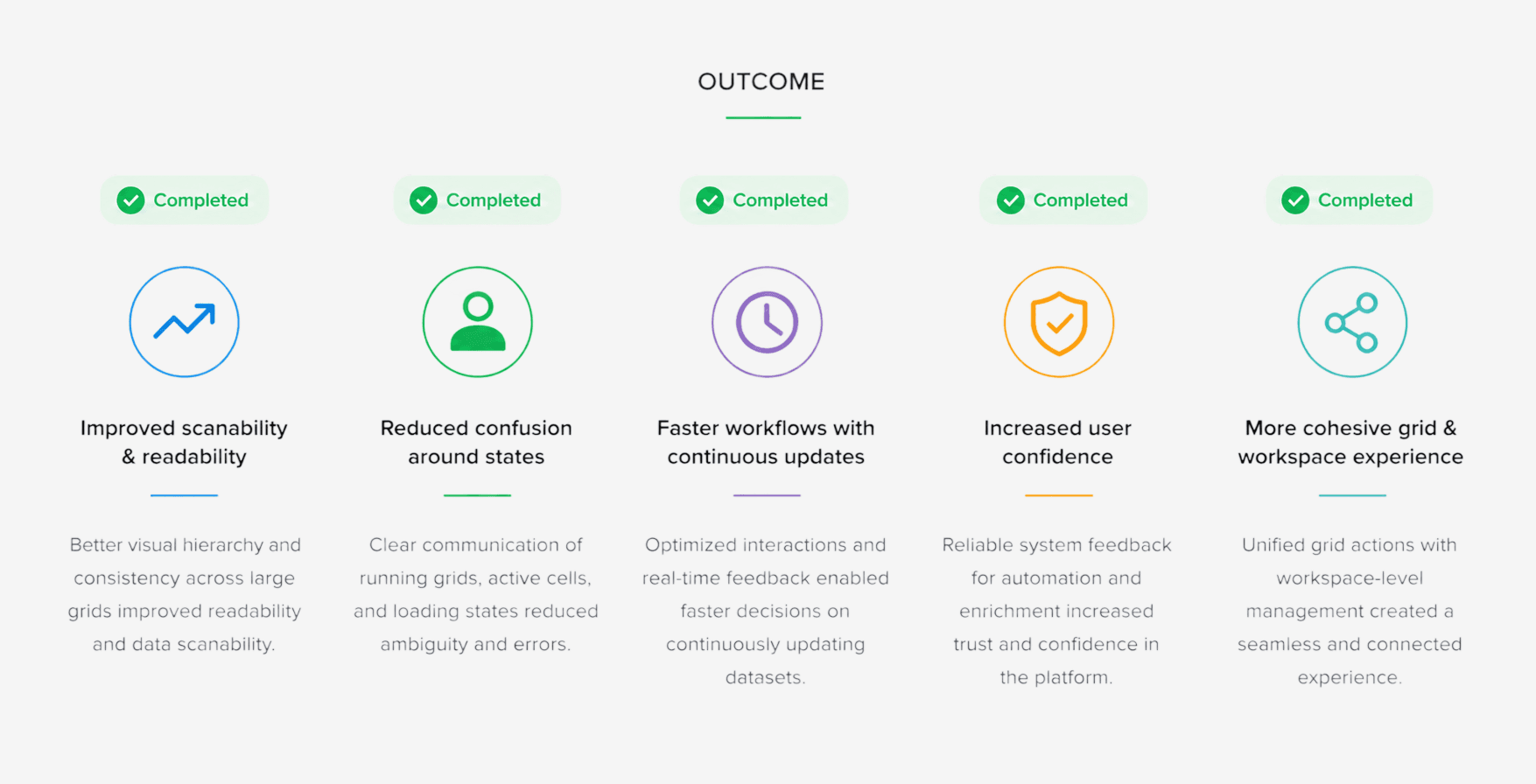
Improved retention by 12% by enhancing clarity, system feedback, and interaction predictability enabling users to move faster from exploration to confident action in complex grid workflows.

1. Improved scanability and readability across large grids 2. Reduced confusion around grid and cell execution states 3. Faster workflows when working with continuously updating datasets 4. Increased user confidence when running automation and enrichment 5. A more cohesive experience between grid actions and workspace management

Reflection & Future Improvements

Based on my learnings and the design constraints during this project, there are several areas I would improve in future iterations:

1. Introduce a folder-based system to enable better organization and scalability. 2. Provide a dedicated view mode to save and reuse filters and customized grid views.

Contact

Let’s connect

Interested in working together or discussing an opportunity? Reach out, I’d love to chat.

Nazar e Moin Sheikh

Product Designer